Documentation
CVFX Environment Generator
Version 2.3.2 · Unreal Engine 5.5, 5.6, 5.7, 5.8 · By CosineVFX
Introduction
CVFX Environment Generator (CVFX EnvGen) is a Unreal Engine editor plugin for procedural landscapes, mountains, multi-species forests, water systems, and AI 3D asset generation. Version 2.3.2 is available free on FAB.
The tool opens from the Level Editor toolbar. Basic terrain exploration does not require login — sign in when you need member features, asset credits, AI generation, or premium controls. The same account powers CosineVFX Studio on the web.
v2.3.2 feature overview
Version 2.3.2 is the published release of this feature set. It adds a new editor UI, layer controls, a member catalogue, and Studio access from the plugin, plus minor fixes. Version 2.3.1 was not published separately, so those features ship here. New in this line:
New in-Editor UI
Terrain, mountains, forest, water, assets, catalogue, and advanced share a redesigned layout.
Layer controls
Members can build mountains, forests, rivers, ponds, and oceans as layers, each with its own settings.
Larger landscapes
World size goes further than 2.2.1. Members can type a custom value on sliders instead of only dragging.
3D catalogue
Lite and Pro browse public models, add them to My assets, and place them on the landscape. Free accounts see a locked preview of the first page.
Studio from the plugin
Open CosineVFX Studio in the browser from the plugin. It uses the same account, library, and credits.
Sculpt stays put
Manual sculpt remains in place while terrain and mountain controls change.
Still included from 2.2.1
AI 3D asset generation
Describe an object in the Assets tab to generate a 3D mesh from a text prompt, without leaving the Unreal Editor. The same jobs appear in CosineVFX Studio on the web.
Landscape placement
Place generated meshes at the camera, by clicking the landscape, or by scattering. Placement uses a fast preview mesh so you can iterate immediately.
Apply texture
Download and apply PBR textures to a generated mesh, with a progress bar, and update copies already placed on the landscape.
Header version & updates
The tool header shows the plugin version and an Update action when a newer build is available.
Still included from 2.1.x
Custom heightmap terrain
Import PNG, JPG, BMP, TGA, R16, or RAW heightmaps and build landscapes on your own data. Member feature with a redesigned terrain workflow.
Multi-species forests
Mix up to four tree species with weighted distribution, browse member assets from the in-editor store, and generate up to 1,000 trees (members).
Redesigned terrain workflow
Streamlined Terrain tab: set size, tune procedural noise, finalize landscape, then unlock mountains, forest, and water tabs.
Advanced performance panel
Cap frame rate, toggle shadows/post-processing, and monitor FPS and memory during heavy generation.
Water systems
Rivers, ponds, and oceans with member beautify and advanced tuning controls.
Optional login at launch
Open the plugin without signing in; authenticate only when you need premium controls, credits, or member assets.
Member asset store & credits
Purchase tree and environment assets with credits; balance syncs on login and refresh.
See tab sections below for parameter details. Patch notes for v2.3.2 are in Release notes.
Installation
CVFX EnvGen is distributed on FAB. Install it from the listing for Unreal Engine 5.5, 5.6, 5.7, 5.8.
- Open the FAB listing and add the plugin to your Epic account.
- In Unreal Engine, install or enable CVFX EnvGen for your project.
- Enable ProceduralMeshComponent, EditorScriptingUtilities, Water, WaterAdvanced, and Interchange.
Getting started
- Finalize your landscape (Terrain tab) before mountains, forest, or water.
- Open CVFX EnvGen from the Level Editor toolbar.
- Use Terrain → Mountains → Forest → Water tabs in order as needed.
- Sign in via the overlay when a lock icon or member feature is clicked.
- After you subscribe, use refresh in the plugin header to sync tier and credits.
Terrain tab
Generate procedural terrain or import a custom heightmap (member feature). Version 2.3.2 supports larger landscapes. Sculpt stays in place when terrain controls change. Typed slider values are a member feature.
- Size: World width and depth. 2.3.2 raises the upper range.
- Land Mixer, Layer Count, Variation, Roughness, Bump Size: Noise and elevation controls.
- Heightmap import: PNG, JPG, BMP, TGA, R16, RAW, R8 — member only, with a clearer import flow.
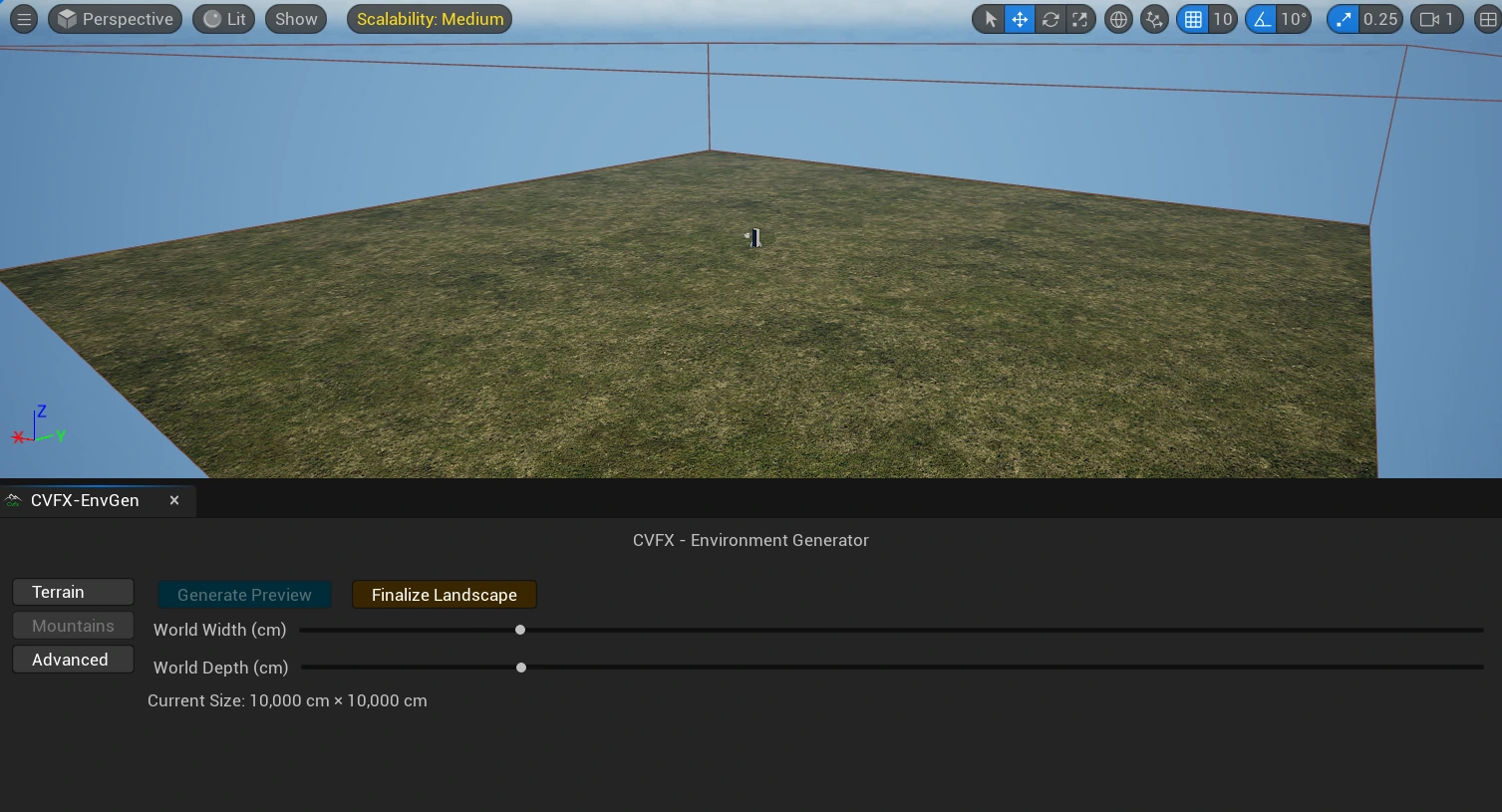
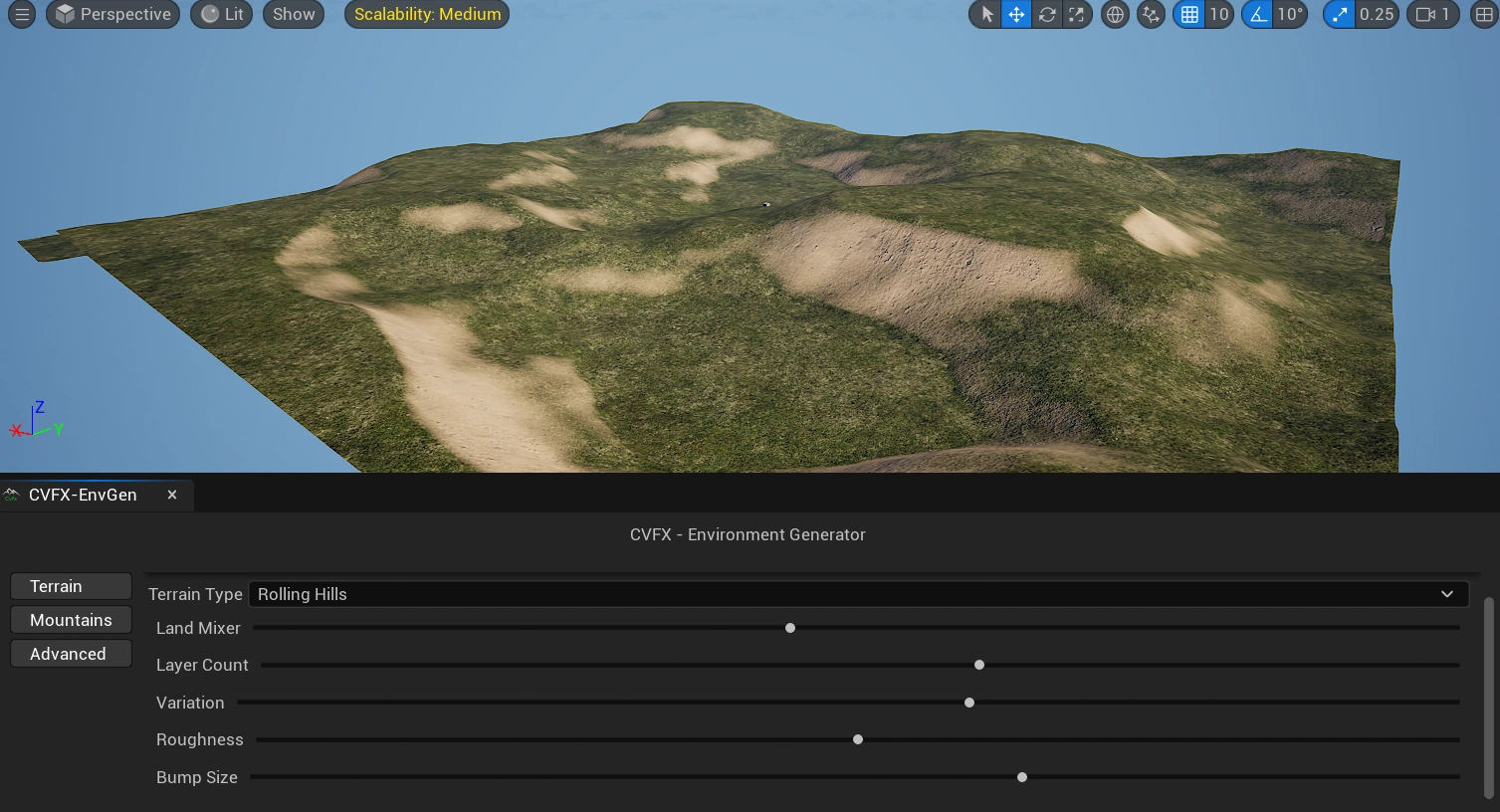
Mountains tab
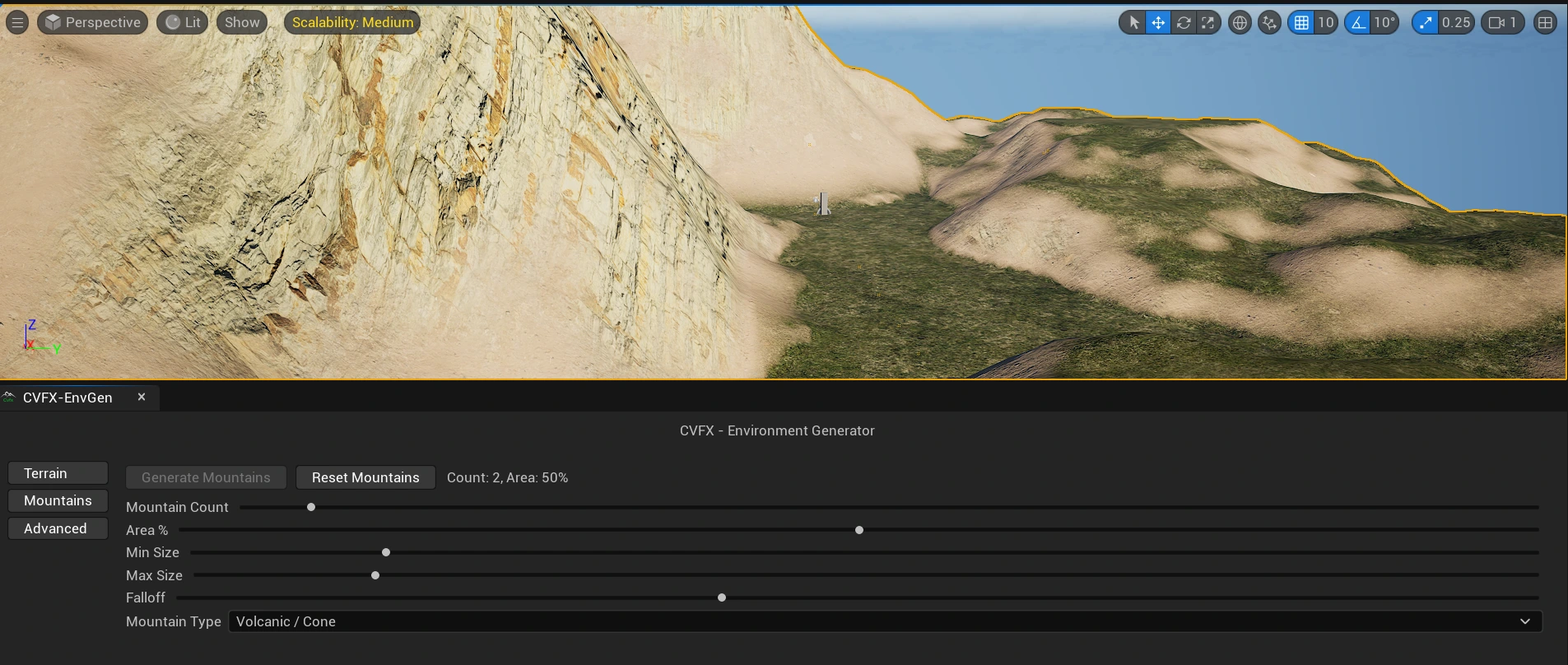
Available after terrain is finalized. Build peaks as layers, each with size, height, falloff, style, and placement. Sculpt stays in place while those controls change. Layer generation and premium styles require an active membership.
Forest tab
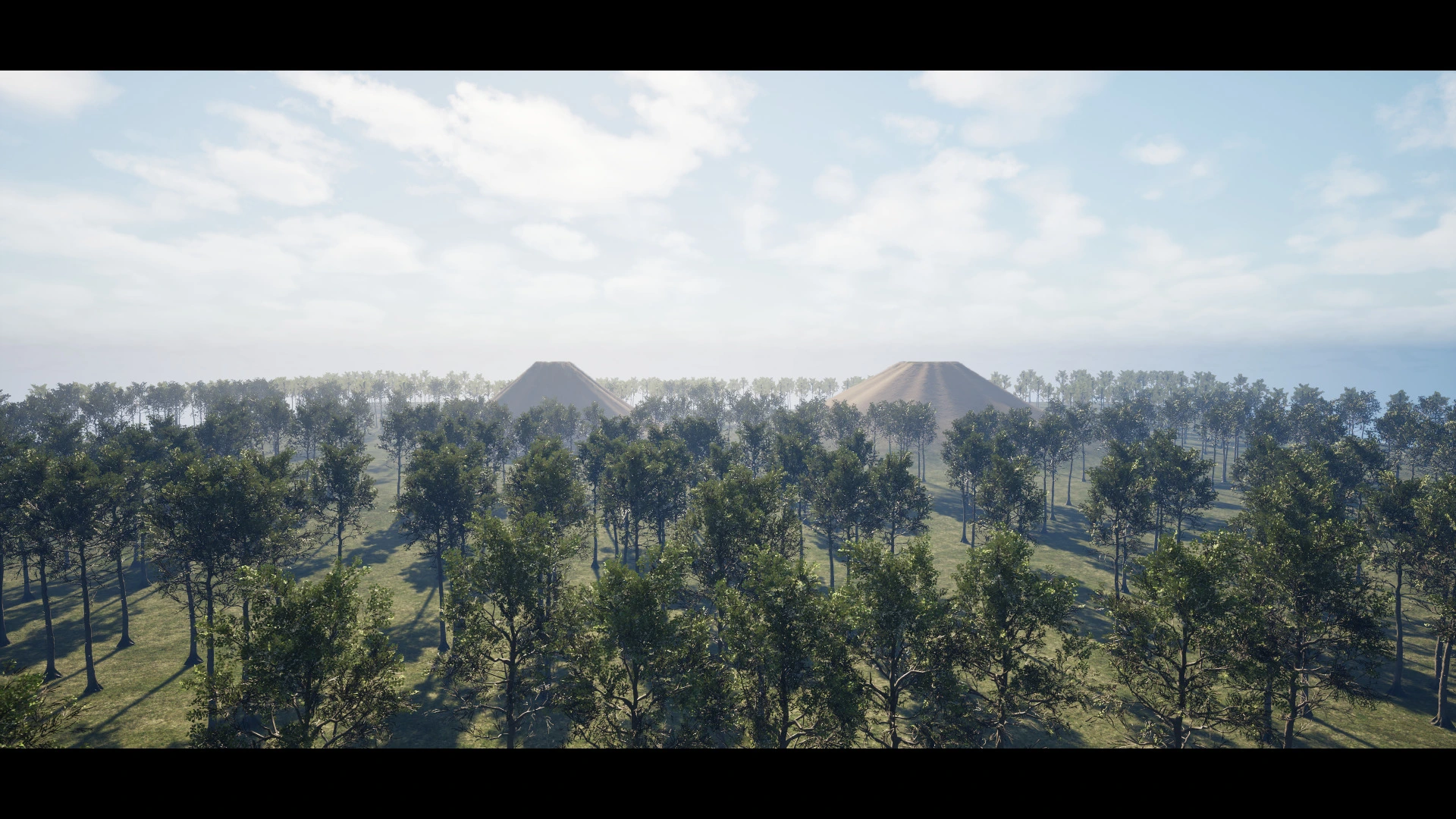
Mix up to four tree species, or use a layer for one tree type with its own count, slope, and altitude. Layer generation is a member feature.
- Tree count, density, min/max scale, cluster variation, seed
- Free tier: up to 50 trees; members: up to 1,000 trees
Water tab
Rivers, ponds, and oceans can be added as layers, with settings for width, depth, flow, waves, and shore. Layer generation, beautify, and advanced controls are for members.
Advanced tab
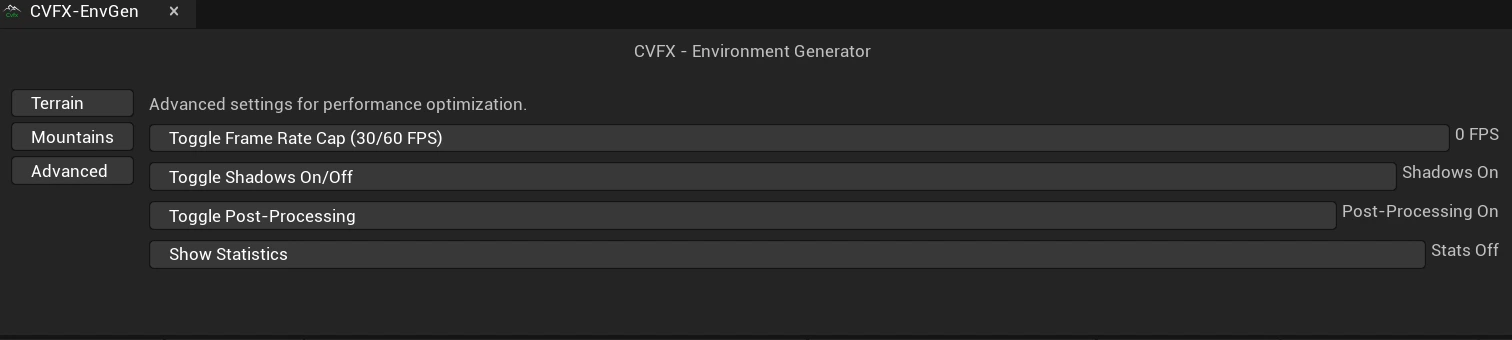
Performance panel for heavy generation sessions.
- Frame rate cap (30 / 60 FPS)
- Toggle shadows and post-processing
- Show/hide runtime statistics (FPS, memory)
Catalogue
The Catalogue tab lists public 3D models. Lite and Pro can search, filter, add a model to My assets, and place it on the landscape. Free accounts see the first page with a lock on each model. The same catalogue is in Studio → Catalogue.
- Lite and Pro can browse and add free models.
- Paid models are bought with credits.
- Added models show up in My assets in the plugin.
AI assets
The Assets tab can generate a 3D mesh from a text prompt (member / top-tier gated; staff bypasses the tier gate). Preview meshes are billed in account credits. When you like the silhouette, apply texture to import PBR materials and update copies already placed on the landscape.
- Place at camera, click-to-place, or scatter using a fast preview mesh
- Apply texture shows progress and swaps the placed actor mesh
- Landscape reset also removes placed AI assets from the Outliner
- The same jobs appear in CosineVFX Studio on the website
CosineVFX Studio
Open Studio from the plugin, or sign in at /studio. Free accounts can use Studio and their library. The catalogue shows a locked preview until Lite or Pro. Lite and Pro can generate 3D, images, and speech with credits. Your credit balance shows in the header. After you change membership on the web, use refresh in the plugin so the editor picks up the new tier.
Membership & auth
Membership unlocks premium plugin features. Sign in with the same email in the plugin and on CosineVFX.
- Free: Core terrain, mountains, forests, and water, plus Studio and your library. The catalogue is a locked preview.
- Lite, $10/mo: Locked plugin tools — heightmaps, premium mountains, larger forests, layer controls, advanced water — plus the full catalogue and 500 credits each month. Those credits generate images, speech, and 3D, and they also add catalogue models.
- Pro, $20/mo: Everything in Lite, with 2,000 credits each month.
Subscribe on the membership page. Existing Patreon members keep access. If you are signed in but not subscribed, a locked feature opens membership instead of the login screen again.
Asset store & credits
Member assets (trees, etc.) are purchased with credits in the in-editor asset panel. The credit balance appears in the plugin header after login or refresh.
- Browse assets from the Forest tree browser or Category Asset tab
- Purchase with credits; download and import into your project
- Refresh account after a membership change
Release notes — v2.3.2
A new editor UI, layer controls, a 3D catalogue, and Studio from the plugin.
- New in-Editor UI across terrain, mountains, forest, water, assets, and the catalogue.
- Layer control for mountains, forests, rivers, ponds, and oceans.
- Larger landscapes, and custom values on sliders.
- 3D catalogue: add models and place them from My assets.
- Open CosineVFX Studio from the plugin on the same account.
- AI 3D assets from a text prompt, with landscape placement and texture apply.
- Sculpt stays in place while terrain and mountain controls change.
- Clearer custom heightmap import.
- Minor fixes on the same feature set.
October 2026
Earlier — v2.2.1
AI 3D assets in the Editor — generate, place, and texture props without leaving Unreal.
- Prompt-to-3D from the Assets tab, with the same generation available in CosineVFX Studio on the web.
- Place generated meshes on the landscape at camera, by click, or by scatter using a fast preview mesh.
- Apply PBR textures to generated assets and update copies already on the landscape, with progress.
- Plugin version in the tool header, plus an Update action when a newer build is available.
- Landscape reset also removes placed AI assets from the Outliner.
- Unreal Engine 5.5–5.8.
September 2026
Earlier — v2.1.2
Live on FAB — membership sync, asset tokens, and polish.
- Token balance and tier sync fixes — see your coins after login or refresh.
- Smarter member flow — signed-in users without a subscription go to Patreon tiers instead of login again.
- Support and refresh button UI polish in the editor header.
- Patreon tier sync and anonymous telemetry improvements.
- Stability fixes for asset catalog, session refresh, and installation reporting.
June 2026
Troubleshooting
- Out of memory: Use Advanced tab — lower FPS cap, disable shadows/post-processing, generate smaller terrains first.
- Plugin disabled: Admin must allow your plugin version in backend settings after major releases.
- Credits not showing: Sign in again or click refresh after Patreon tier changes.
- Dependencies: Enable ProceduralMeshComponent, Water, WaterAdvanced, EditorScriptingUtilities, Interchange.
- AI generation denied: Pro membership is required unless you are staff. Check the credit balance in Studio → Profile.
Support: support@cosinevfx.com
Documentation version 2.3.2. Last updated October 2026.